Whether you rent or own decides most of this list.
A Pokemon desk lamp or a floor lamp asks nothing of the walls, while hexagonal LED panels and recessed oval lights are build-in jobs for a room you plan to keep.
The ideas run from one glowing Gastly figure beside the monitor to a full cloud ceiling with rainbow LEDs, and the same rule holds across all of them: add ambient light first, then color last.
1. LED Strips Behind Monitors
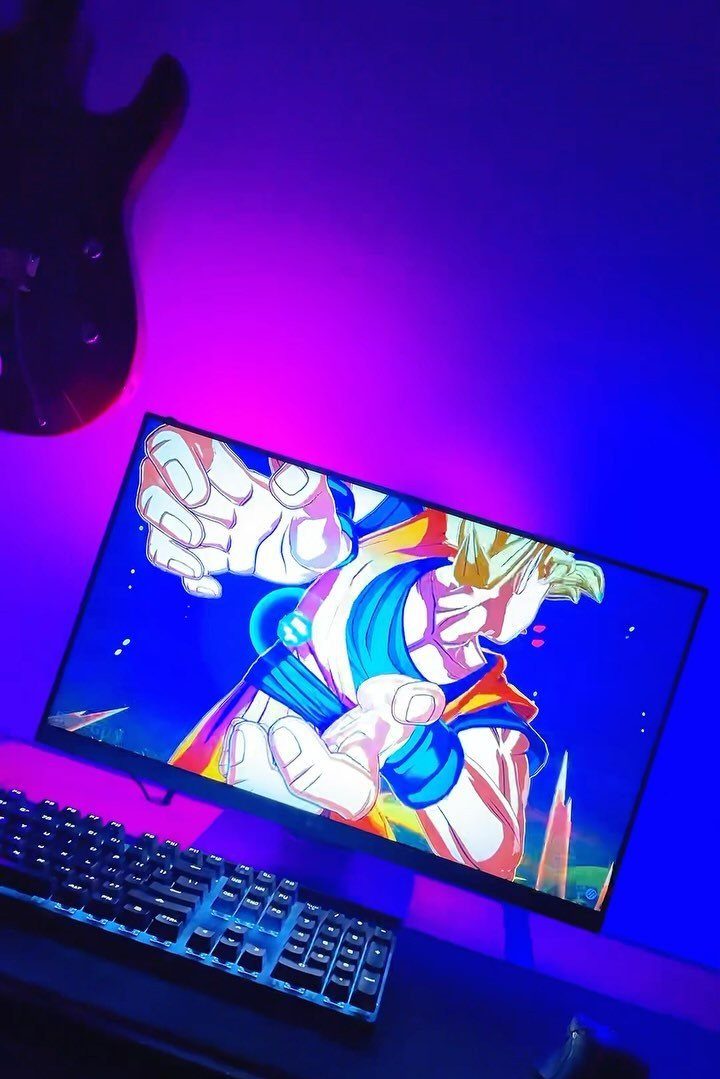
Placing the strip on the back of the monitor itself, facing the wall, is what makes this work.
The purple and blue wash lands on the wall, so the bright panel sits against a softer background and your eyes get less glare in a dark room.
Keep the strip hidden so only the glow shows. Cooler colors like these suit a desk with a keyboard and a guitar nearby, and they stay quiet enough not to compete with the artwork on the screen.
2. Neon Lights
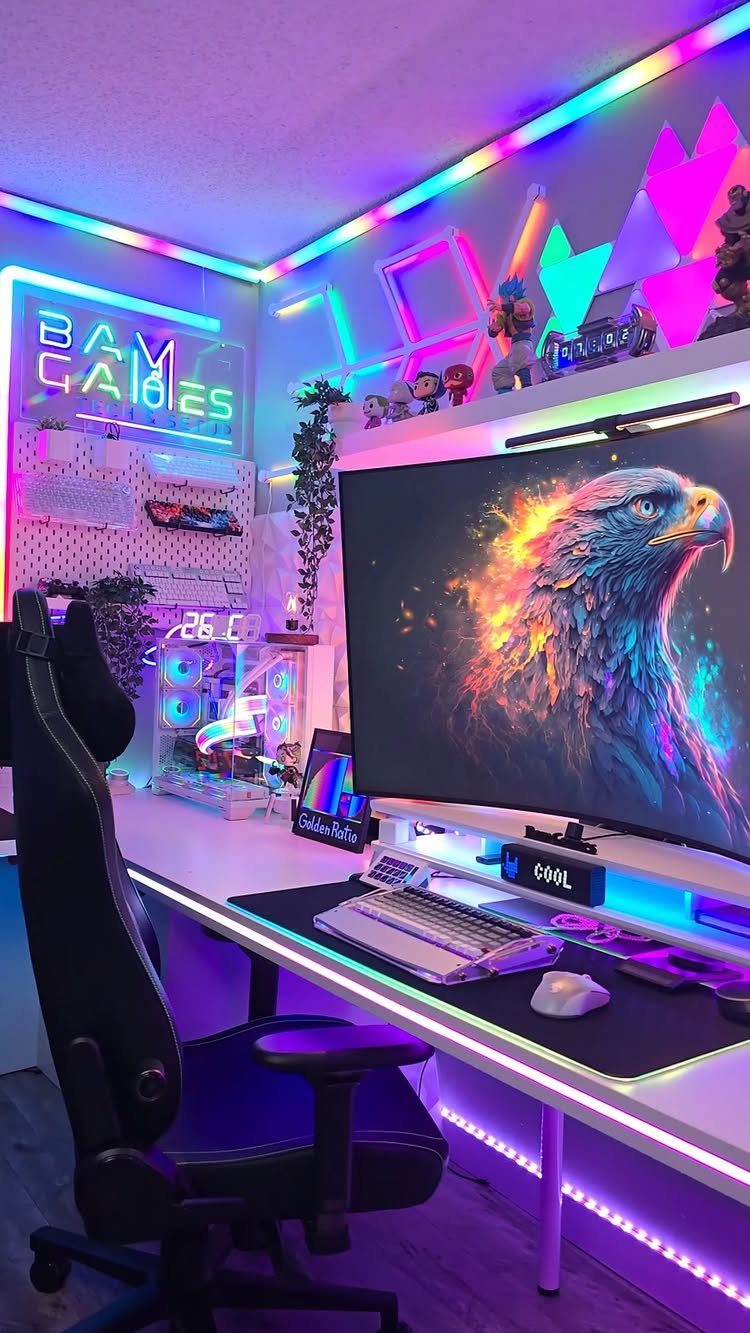
A neon sign does the job of a poster that happens to glow. On a gaming wall, one or two bold pieces beat a crowd of them, because each sign needs empty wall around it to read as a statement.
I like pairing a sign with a curved monitor and a thin LED strip, as this setup does.
The sign is the focal point, the strip fills in the shadows, and the screen stays the brightest thing in the room. Pick words that mean something to you, since you will look at them daily.
3. Floor Lamps
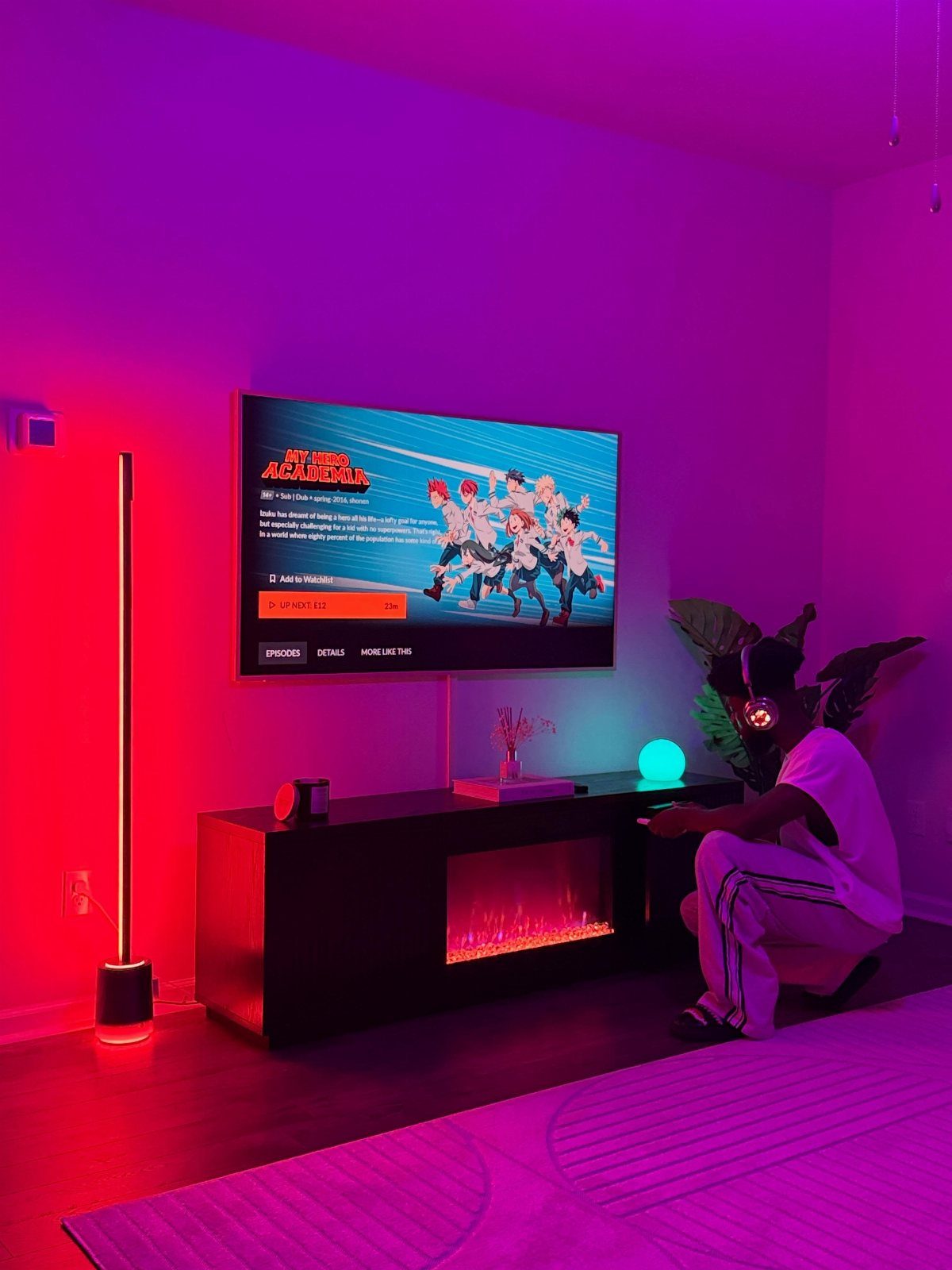
A tall floor lamp pulls light up off the ground and into a corner, which gives a flat TV wall some depth. Placed beside the screen, it fills the gap between the bright display and the dark room.
An LED lamp in a strong color, red here, works as a accent piece you can move without drilling anything.
That makes it a good fit for renters. I would put it on the side away from the seating so it never reflects in the screen.
4. Dynamic RGB Setup
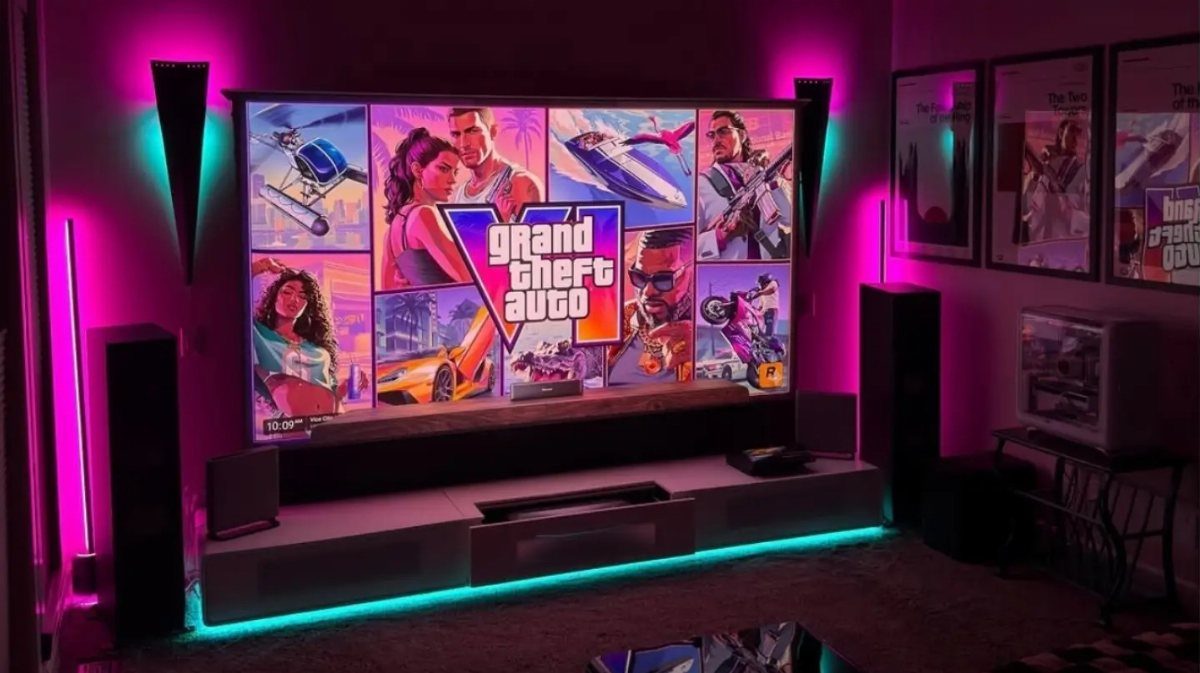
Color that changes with the game is the whole appeal here. Pink and cyan RGB around a big TV make the room feel like part of the screen, and a darker room lets those colors read as richer.
Choose lighting you can control by remote or app, so you can run a slow shift for play and a single steady color for everyday use.
Placing it behind the TV and media console keeps the glow indirect, which is easier on the eyes than bare diodes.
5. Hexagonal LED Wall Panels
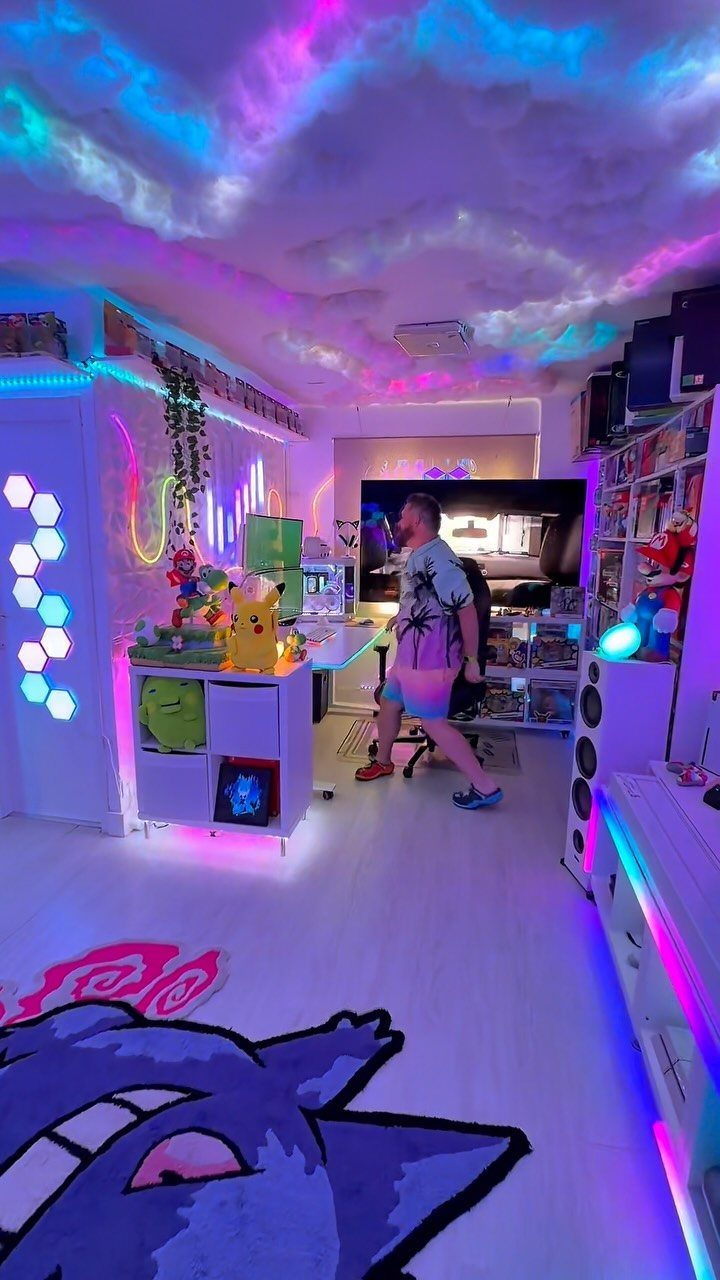
Hexagonal panels turn a bare wall into a pattern you can rearrange. Because they are modular, you can start with a small cluster and add more later, which keeps the cost spread out on a tight budget.
Lay the shapes out on the floor first and photograph the layout before you mount anything.
Then work from the center outward so the edges come out even. Blue and purple panels pair well with a themed rug and collectibles, but a single color keeps a small room calmer.
6. Ceiling Mounted Light Panels
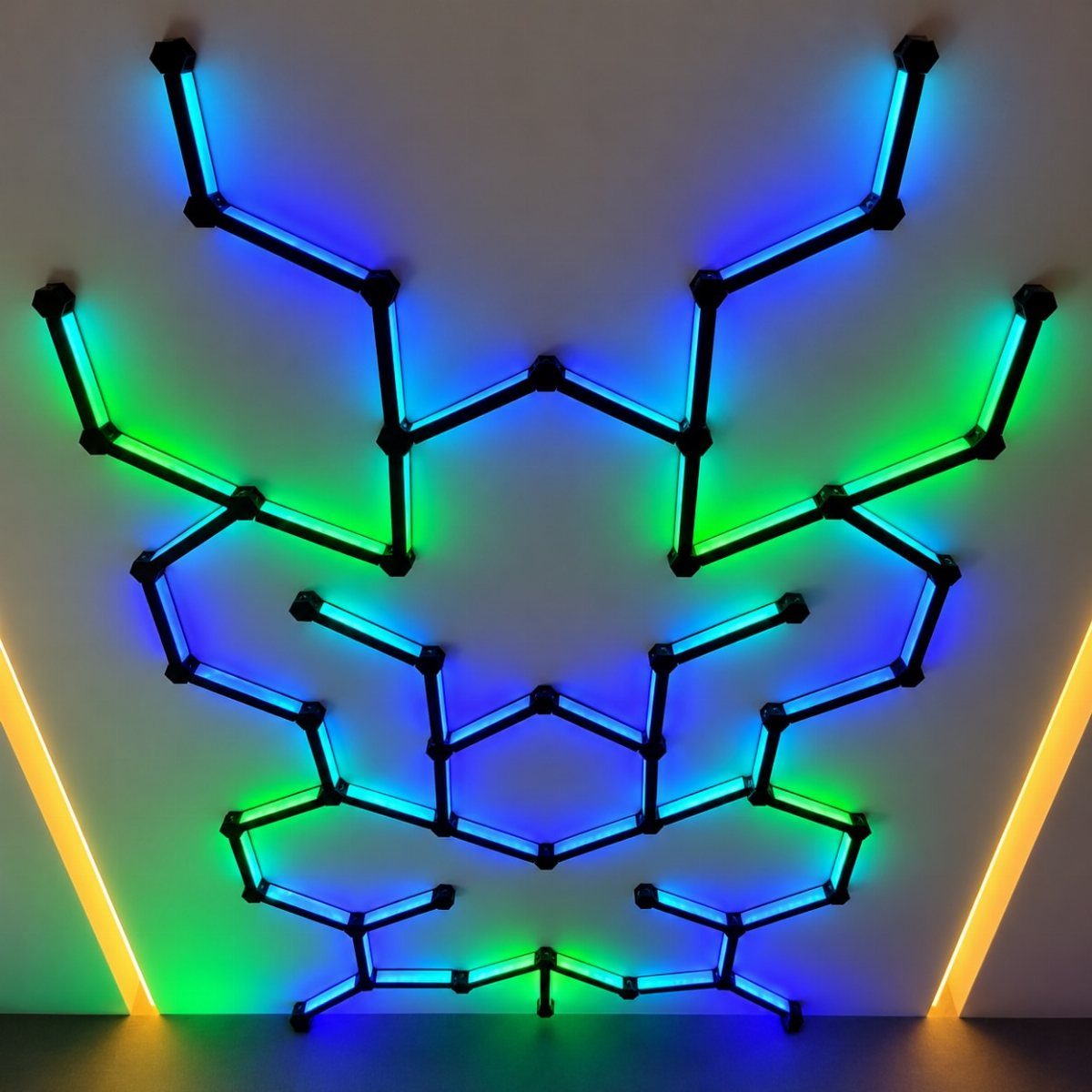
Mounting modular light strips on the ceiling spreads color across the whole room, so no single wall has to carry it.
Black frames on a white ceiling look crisp, and panels set to blue and green read as a pattern even with the game turned off, so pick a frame color that contrasts with the ceiling.
Plan the shape on paper before you stick anything up, since ceiling pieces are awkward to reposition.
I would keep the layout simple and symmetrical. A warm accent along the sides, like the yellow here, softens the cool colors.
7. Rainbow Cloud Ceiling
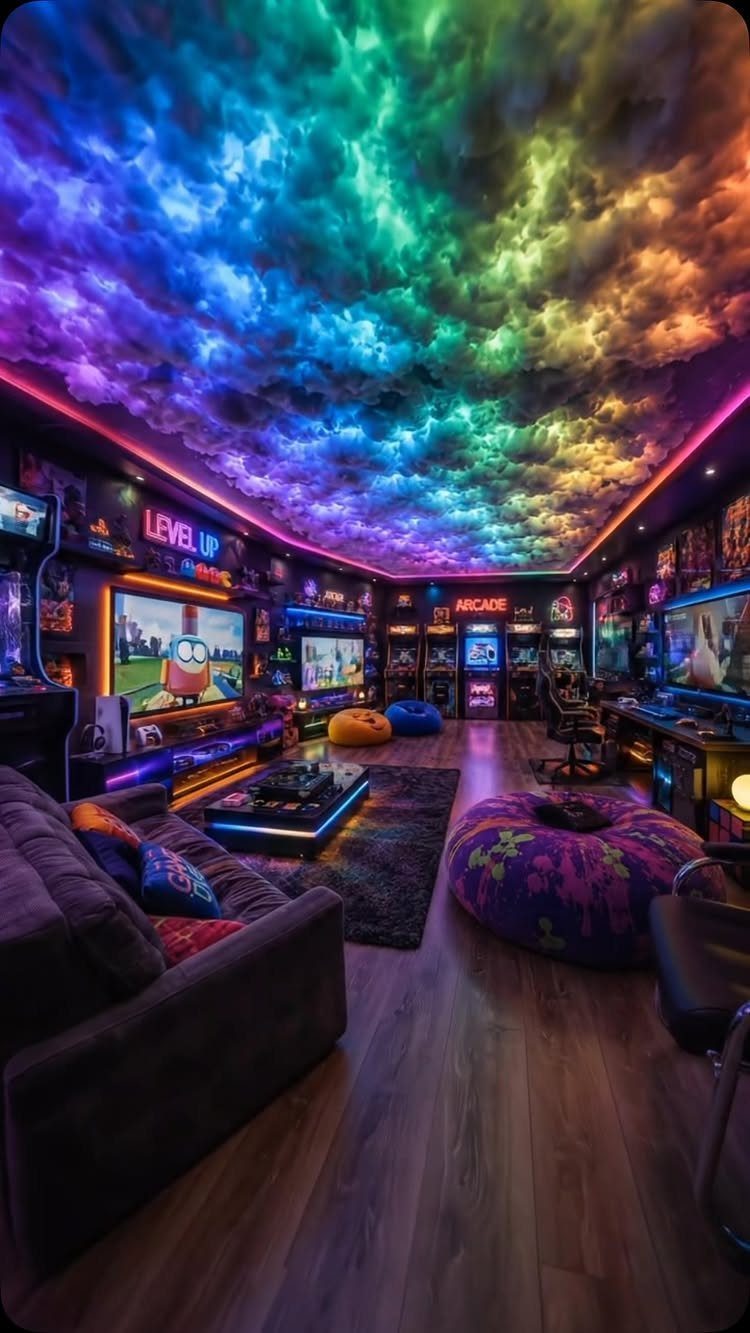
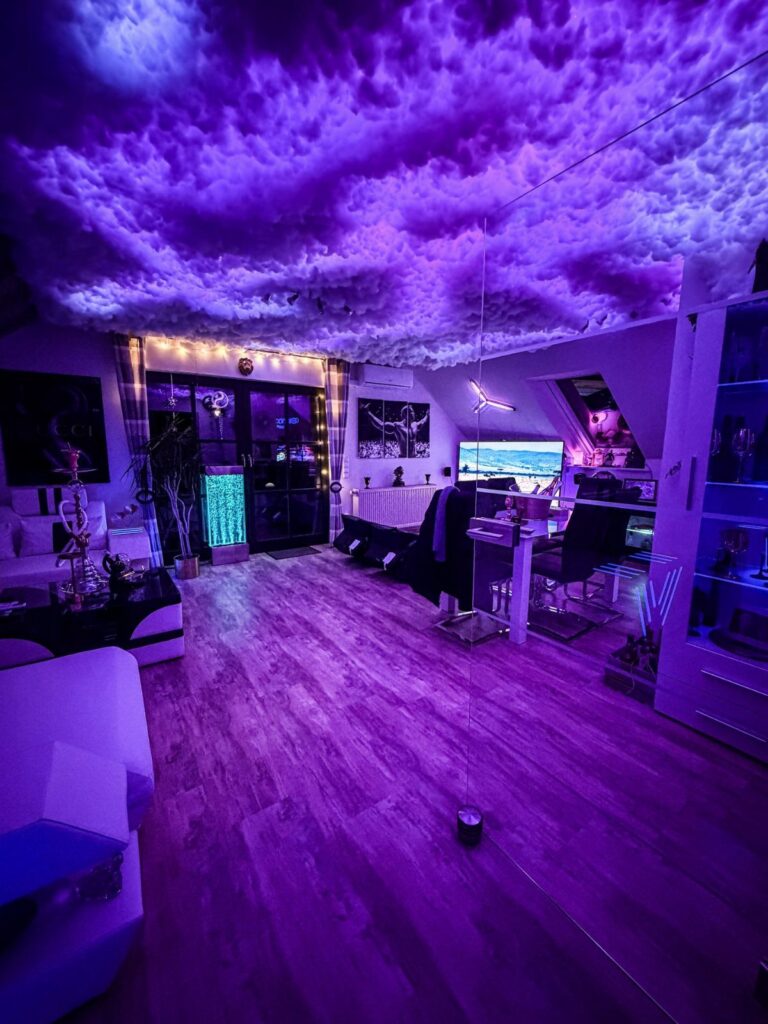
A textured cloud ceiling with rainbow LEDs tucked into it gives a room a playful center without touching the walls. Because the light lives up on the ceiling, the floor and walls stay free for arcade machines, signs and seating.
Because it is a DIY build, you control the cost and the size. I would start with one section over the seating area and see how it looks at night before covering the whole ceiling.
Keep the lights set to a soft glow. Bright rainbow colors overhead can compete with the screens.
8. Starry Night Ceiling
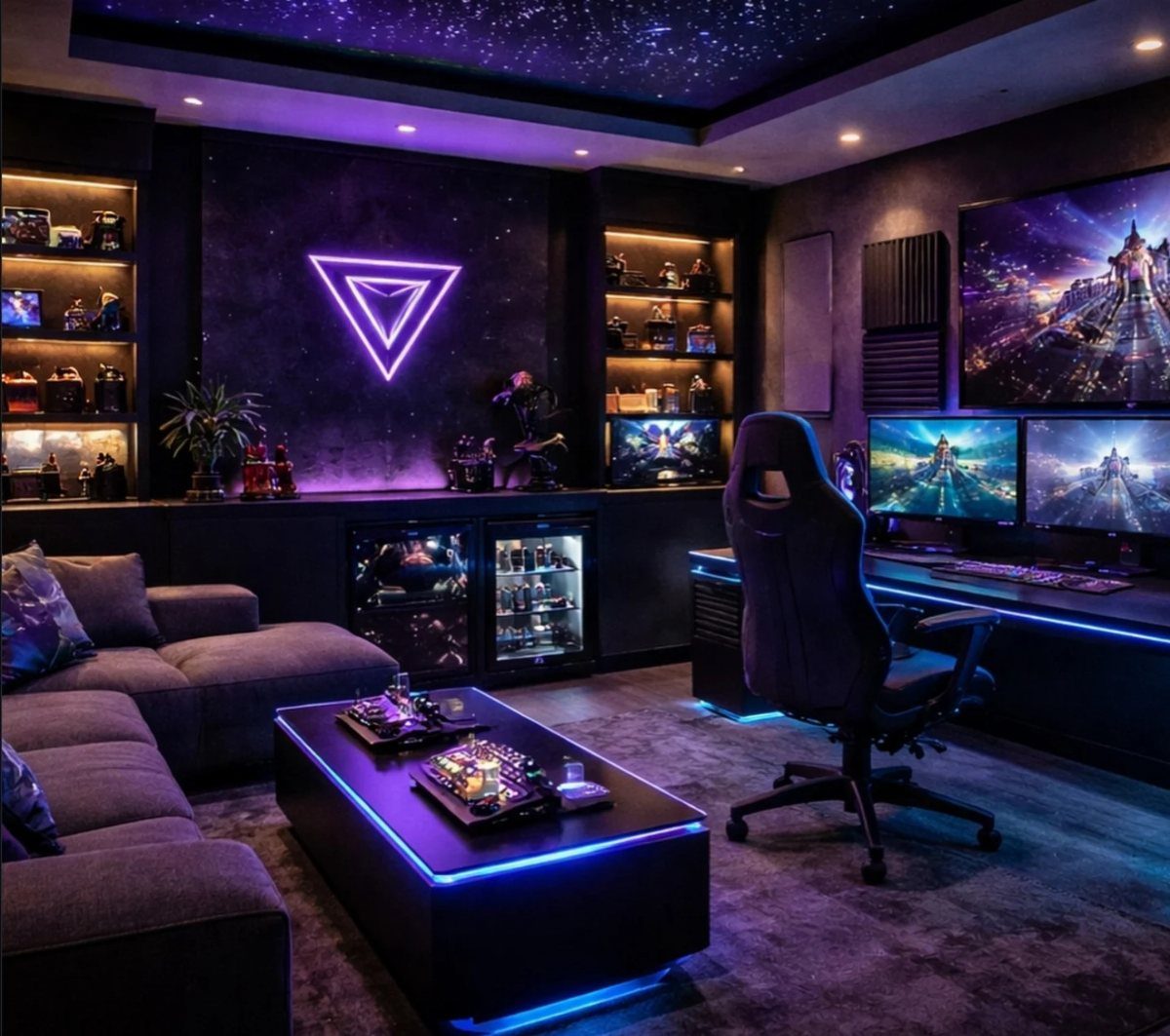
A starry ceiling works best in a room you can darken. Fiber-optic strands or a projector both give the night-sky effect, and either one makes a low ceiling feel taller once the lights go down.
A projector is the easier route for renters, since nothing gets drilled into the ceiling. Fiber-optic takes more work, so I would pick it only for a room you plan to keep.
Purple and blue wall lighting suits a night sky, and the stars stay the quiet layer above the monitors.
9. Recessed Oval Ceiling Light
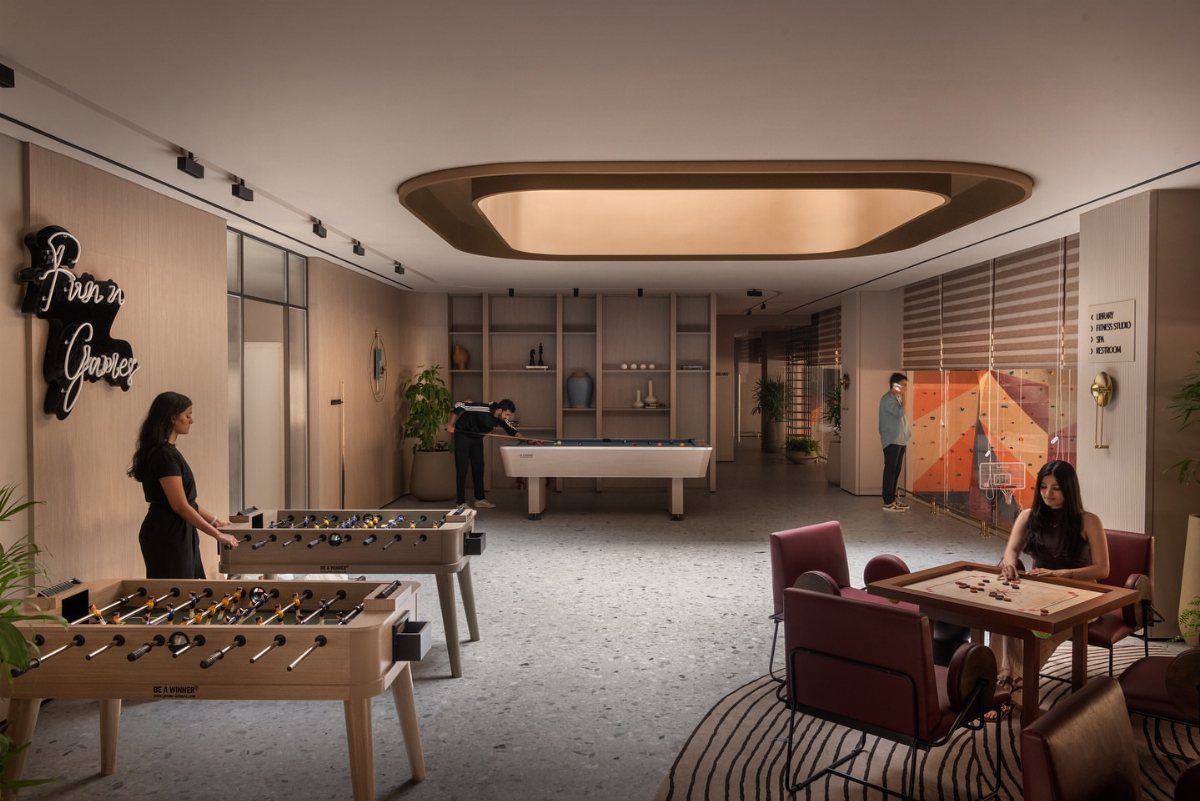
One large recessed oval light replaces a scatter of small fixtures with a single even wash.
Recessed oval lights suit a games room with foosball and pool tables, since they spread light evenly across the whole floor and leave no dark corners at the play area.
Size matters here. A big fixture should sit over the center of the room, so the light falls across the tables and not just one side.
Recessed fixtures are a build-in job, so plan them before the ceiling is finished. A dimmer lets the same light serve a bright game night and a calmer evening.
10. Pokemon Desk Lamp
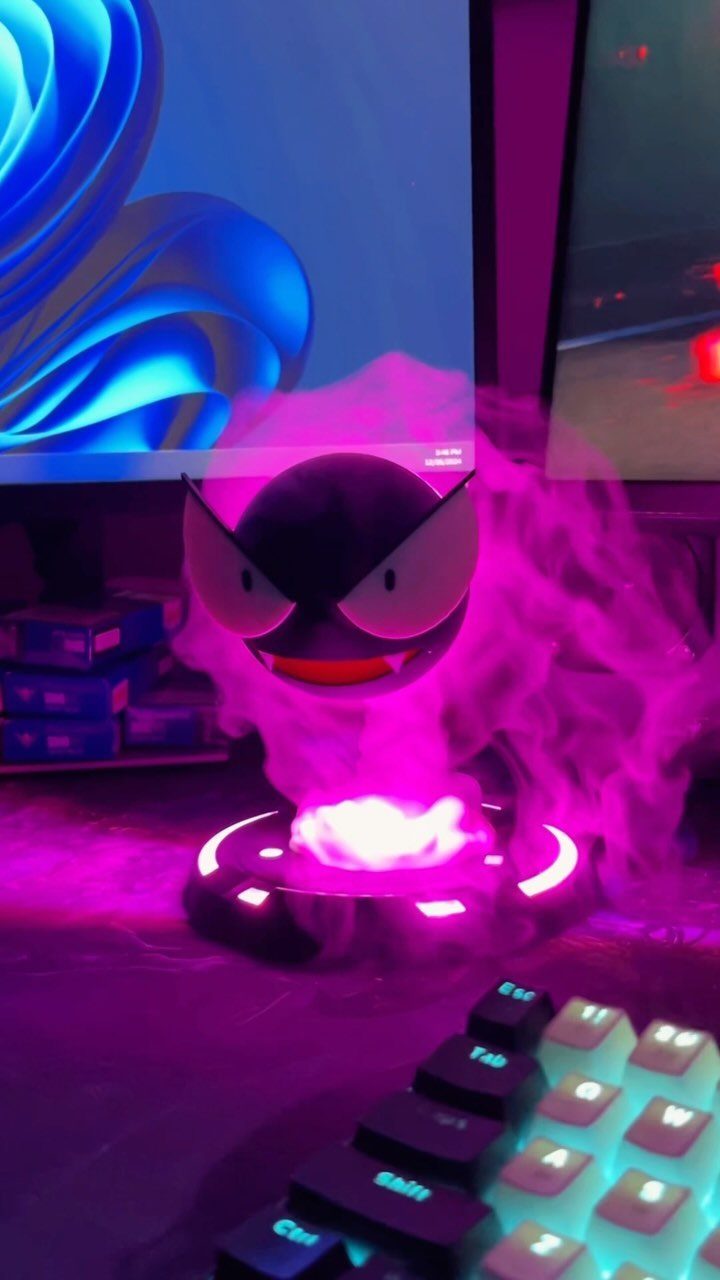
A character lamp is the smallest lighting idea you can add to a games room, and I like it for that.
A Gastly figure glowing pink beside the monitor adds a spot of color and some personality for the cost of one desk item.
Place it on the side of the desk away from the screen so the glow stays off the display. It also pairs well with a thin LED strip behind the monitor, which fills in the shadows.
Choose a character you will enjoy seeing every day.
Layered Lighting Approach
3 layers cover most rooms: ambient light for the whole space, task light where you actually work or play, and a softer accent in the background.
One bright overhead fixture washes out the room and wears on your eyes, but ambient, task and accent lights at low output let me set the mood for each kind of session.
Keep the accent colors consistent instead of cycling through effects. Sticking to one color scheme across every strip and bulb keeps the room looking tidy, and that matters most if the camera is on.
Add the layers in order. Get the ambient and task light comfortable first, then add accent color last.
Eye Comfort
Most gaming rooms get lit to look good in photos, and the eyes rarely come into it.
Color-shifting RGB adds motion and mood, but it does nothing for screen glare, and constant changes can make long sessions harder on your eyes.
What helps is stable, directional light that balances the screen’s brightness. A monitor light bar does this job, and warm, diffused fixtures nearby soften the contrast between a bright display and a dark room.
Save the animated effects for short sessions. On marathon nights I would pick one soft, steady setting and leave it, so the room stays out of the way of the screen.
Theme Integration
Once the screen and task lighting feel comfortable, add the layer that carries your theme. This is where a setup picks up its visual identity, and it should not cost you any performance.
Match the light to what you play or collect. Light aimed at shelves, cabinets and collectibles adds depth to a display, and strips in a color pulled from a favorite game can carry its palette across the wall.
If the room is shared with family or roommates, choose smart lighting with app or voice control. You can then change brightness and color between gaming, board games and relaxing without rewiring anything.
Tidy cables also help, since hidden wires keep the glow looking deliberate.
Frequently Asked Questions
What is the best type of lighting for a game room?
Split your sources across 3 jobs: general room light, focused brightness at the table or screen, and colored accents that fill gaps without glare.
One ceiling fixture floods everything flat and makes long sessions feel harder than they should. Keep each layer at low output, and add accent color last, after the ambient and task light feel comfortable.
How to make your gaming room look cool?
Pick one focal point and let the lighting carry your theme. A glowing sign above the desk, a backlit curve behind the display, or a shelf lit in the palette of whatever you’re playing that week all do the job.
Keep the screen the brightest thing in the room, and hide the cables so the glow looks deliberate.